A custom CRM dashboard built to run a business.

This is a private admin CRM that Plopjoy designed and built to manage leads, clients, payments and growth in one place. In fact, we run our own business on it every day.

Custom CRM · Private admin tool
Screenshots

What we built

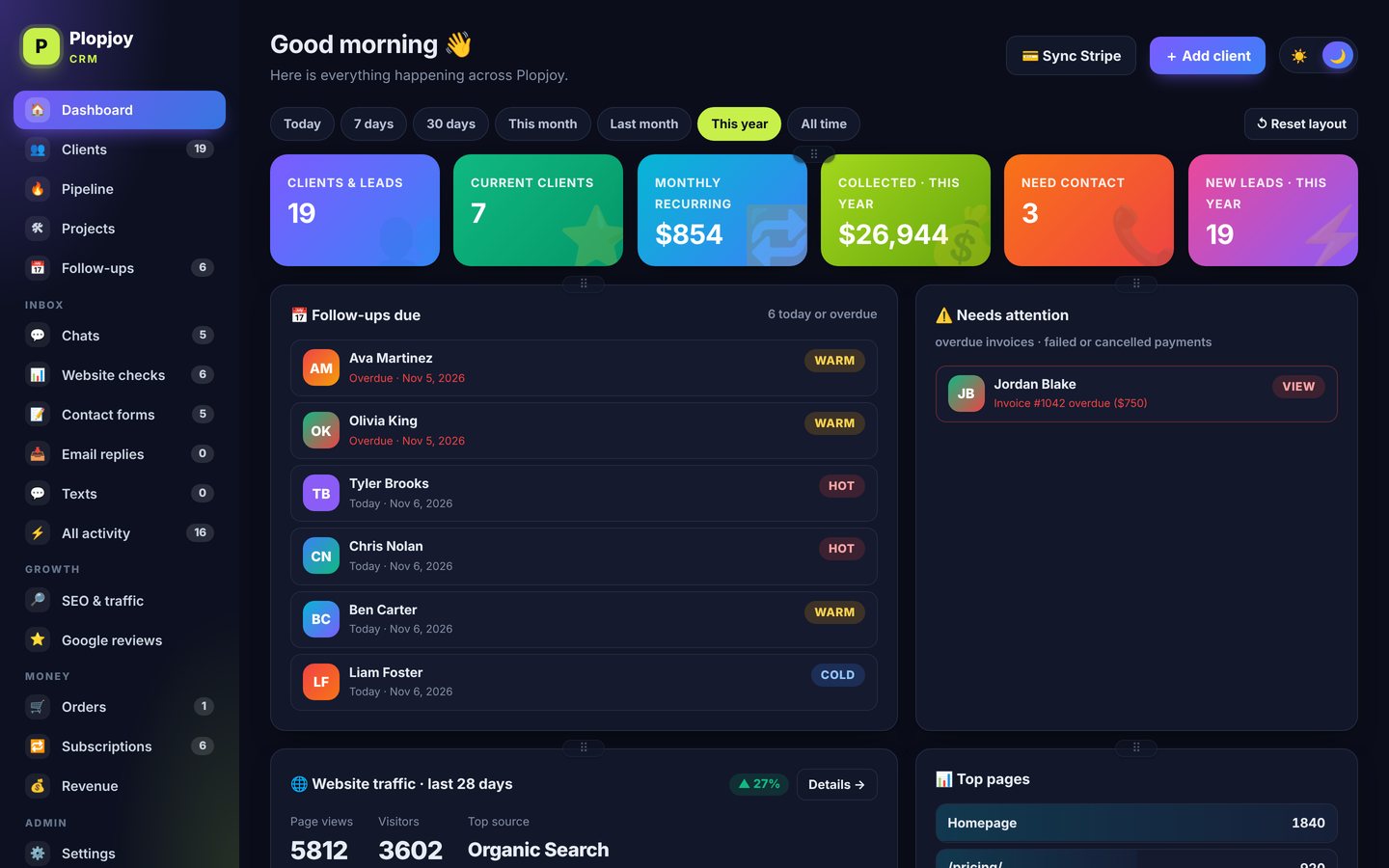
First, here are screens from the real system, shown with demo data. Also, you can see it in light mode, dark mode and on mobile.
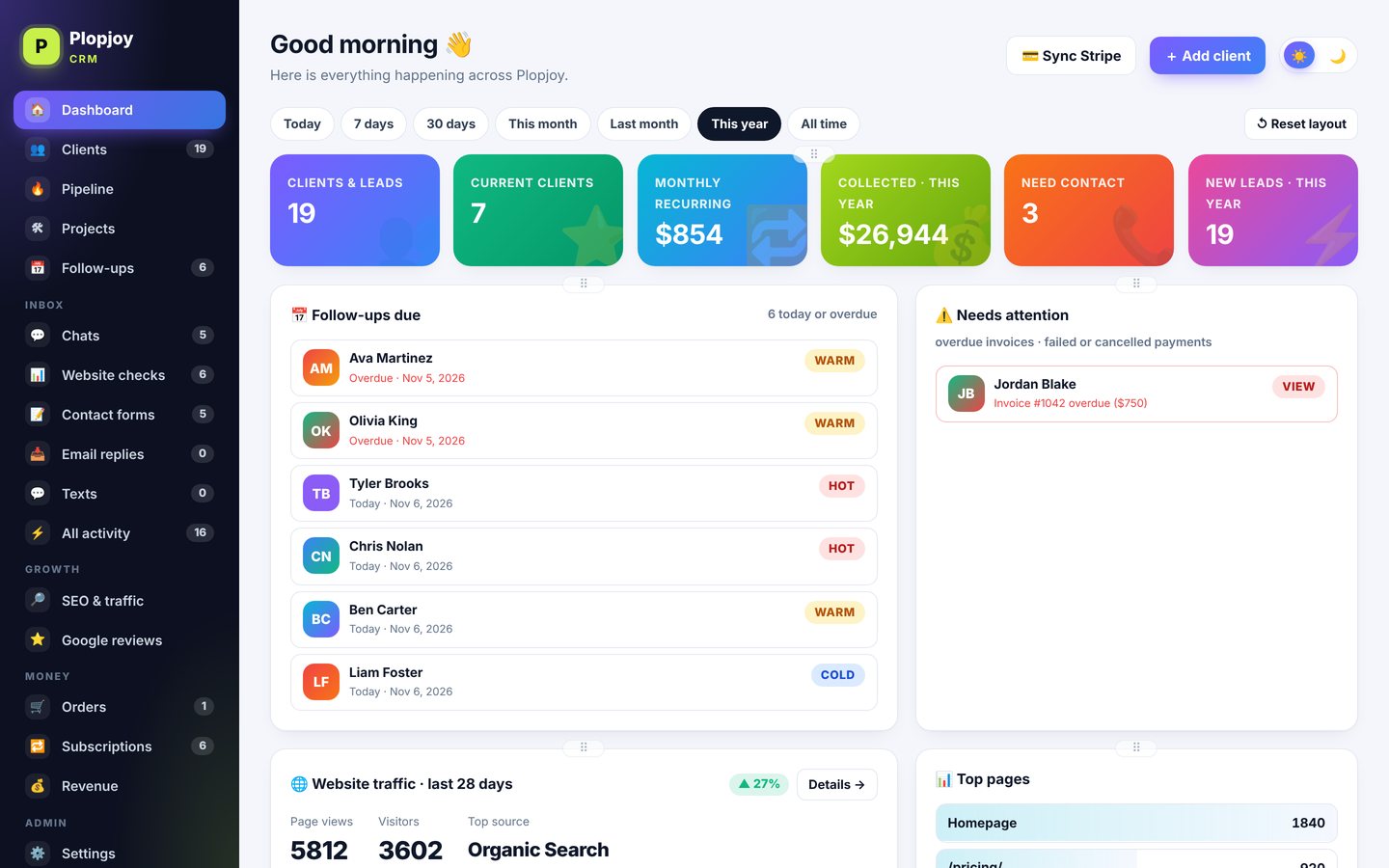
Admin CRM home screen with KPIs, follow-ups and alerts (demo data)
Dashboard · light mode
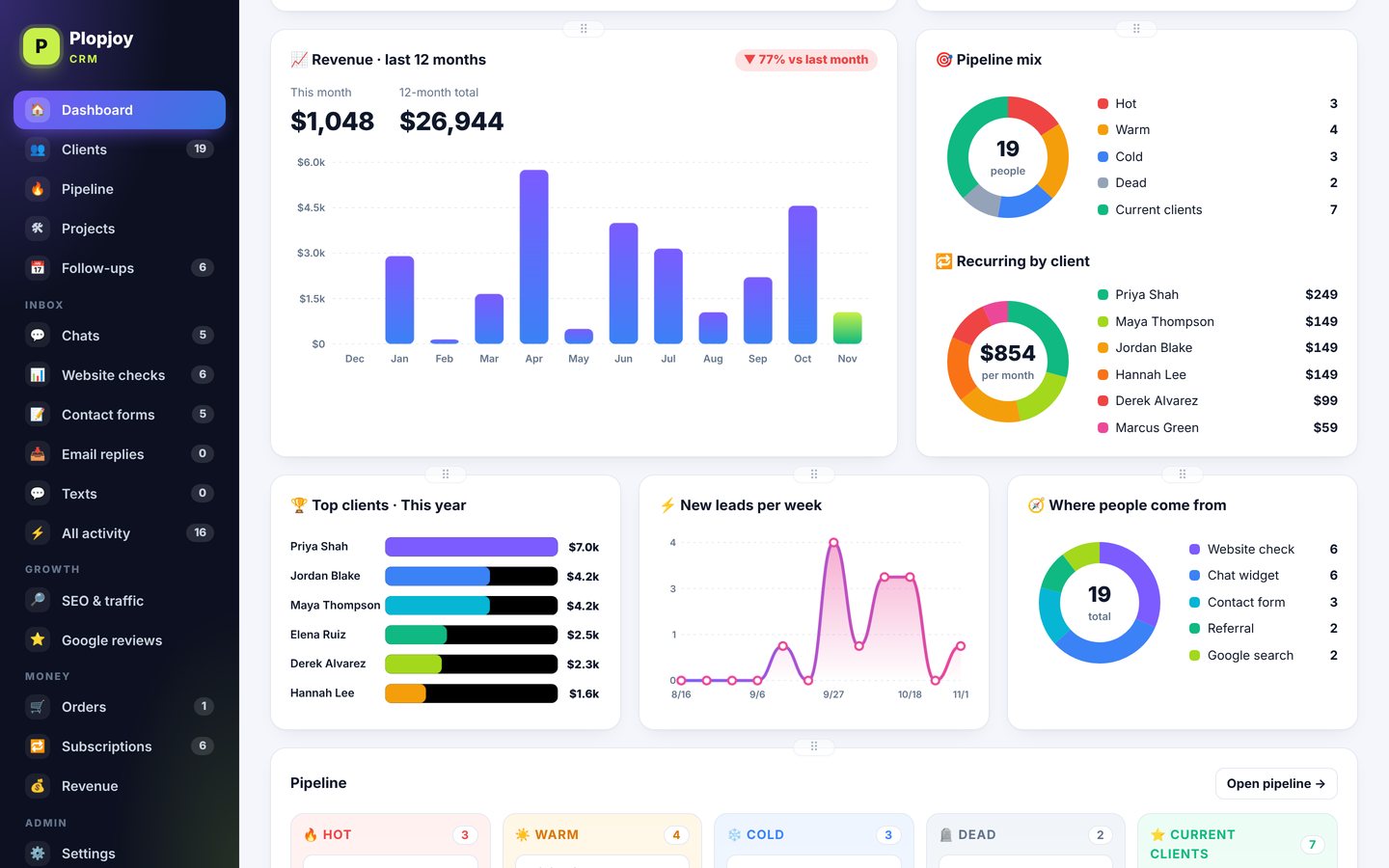
Admin CRM in dark mode (demo data)
Dashboard · dark mode
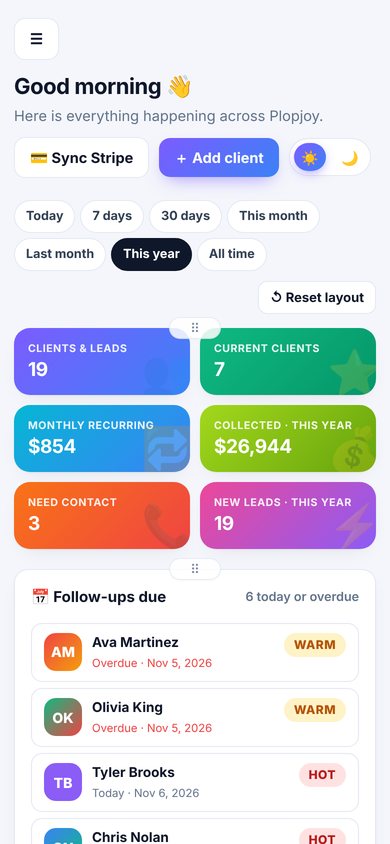
Admin CRM on a phone (demo data)
Mobile

🔒 This is a private, admin-only system, so there’s no public link to view it live.

The project

About this custom CRM dashboard

At first, leads came in from chat, forms and a free website check, while payments lived somewhere else. So we built one system that pulls it all together. Now every lead lands in one inbox, links to the right client and moves through a simple pipeline.

Next, we added the money side. Payments and subscriptions sync on their own. Also, invoices and quotes go out from the client’s profile, and revenue shows up in live charts by day, month or year. As a result, the owner opens one screen each morning and knows exactly who to call and what came in.

Want one for your team? See our custom CRM development services, explore dashboard development, or compare plans and pricing. For a primer on organizing sales, the SBA’s marketing and sales guide is a good start.
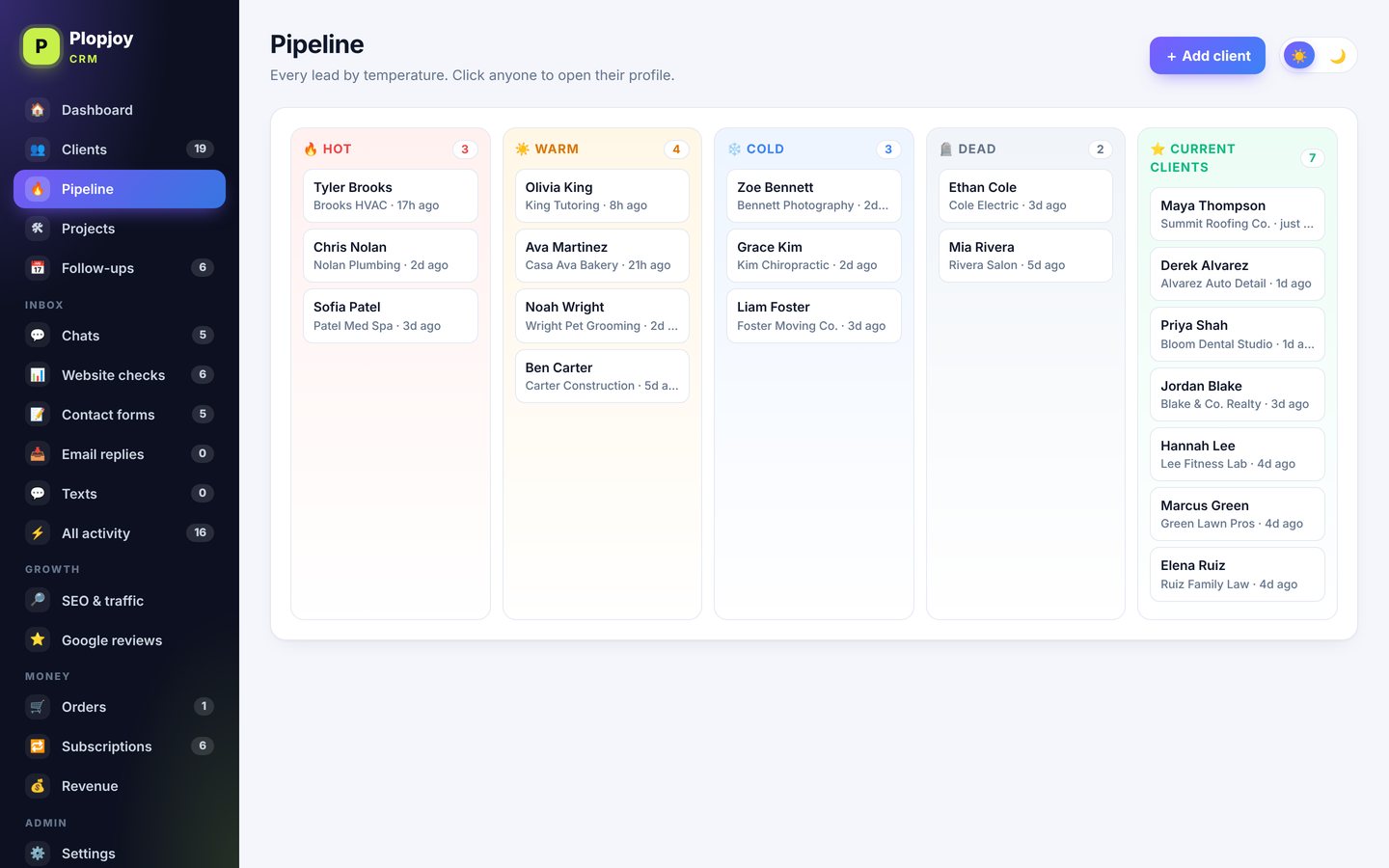
Custom CRM dashboard pipeline view (demo data)
Pipeline view (demo data)
Features

What the custom CRM dashboard does

We built this one around one owner’s real process. Likewise, we would build yours around yours.

Every lead in one inbox

Chats, contact forms and website checks land in one inbox. Then the CRM matches each one to the right client automatically.

Drag-and-drop pipeline

Hot, warm, cold, dead and current clients. In addition, project stages run from onboarding to launch.

Payments that sync

Card payments, subscriptions and discounts sync on their own. Plus, online orders are never counted twice.

Invoices & quotes

Invoices and quotes go out from the client profile. After that, clients accept quotes online.

Interactive charts

Revenue, recurring income, lead sources and traffic. Also, every chart shows exact numbers on hover.

Morning email & alerts

Every morning, follow-ups due, new leads and money alerts arrive in one email. That way, nothing slips.

More screens

More screens from inside the CRM

For example, here are the pipeline, client profiles, revenue, charts, the lead inbox and orders.
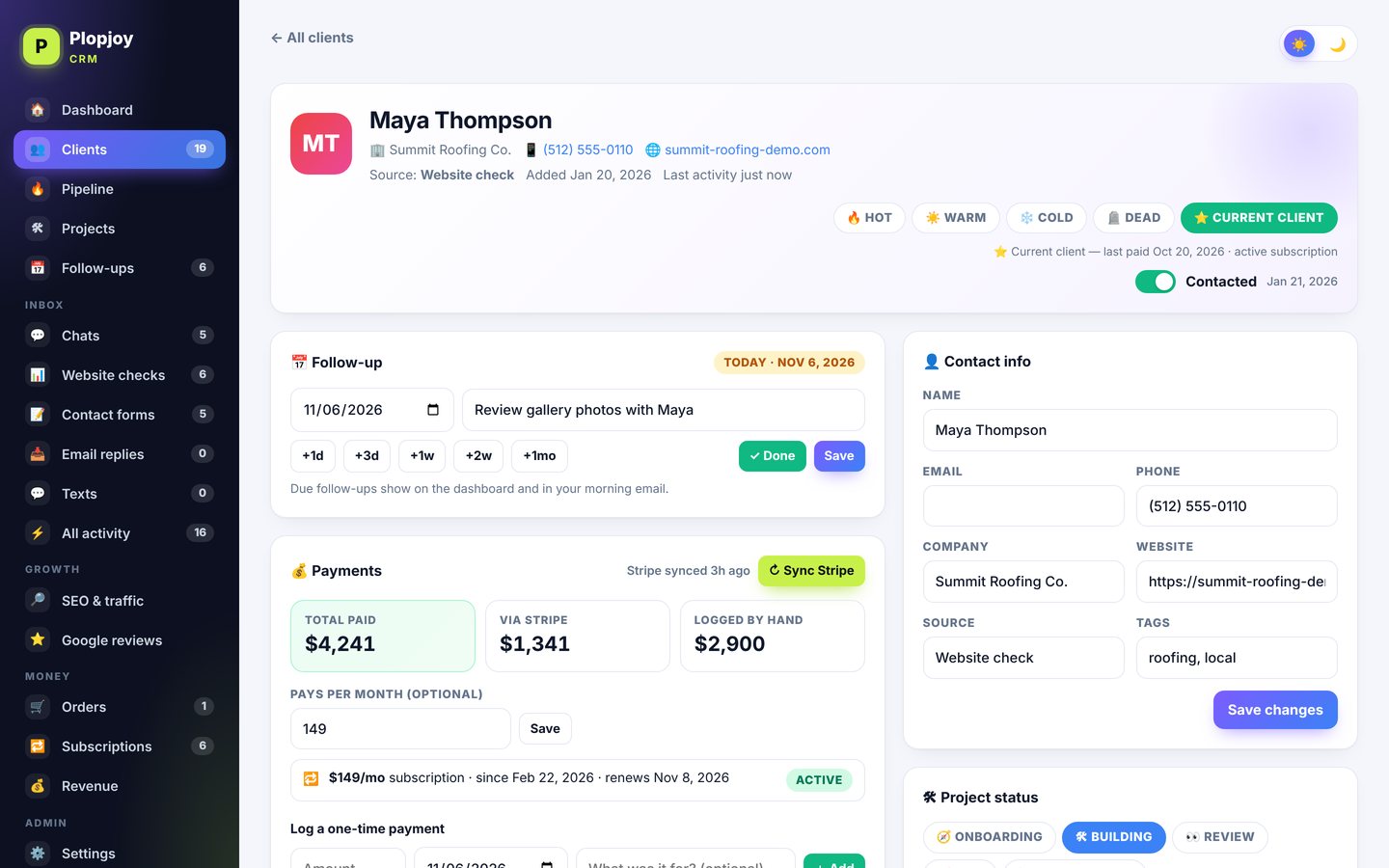
Custom CRM development — drag-and-drop pipeline screen (demo data)
Drag-and-drop pipeline — Every lead sorted hot, warm, cold, dead or current client. Drag a card to move it.
Custom CRM development — client profiles screen (demo data)
Client profiles — Follow-ups, notes, payments, subscriptions, invoices, quotes and project status on one page.
Custom CRM development — revenue at a glance screen (demo data)
Revenue at a glance — Collected, recurring and all-time revenue with time frames and month-by-month charts.
Custom CRM development — live, interactive charts screen (demo data)
Live, interactive charts — Hover any point for the exact number: revenue, pipeline mix, recurring by client and traffic.
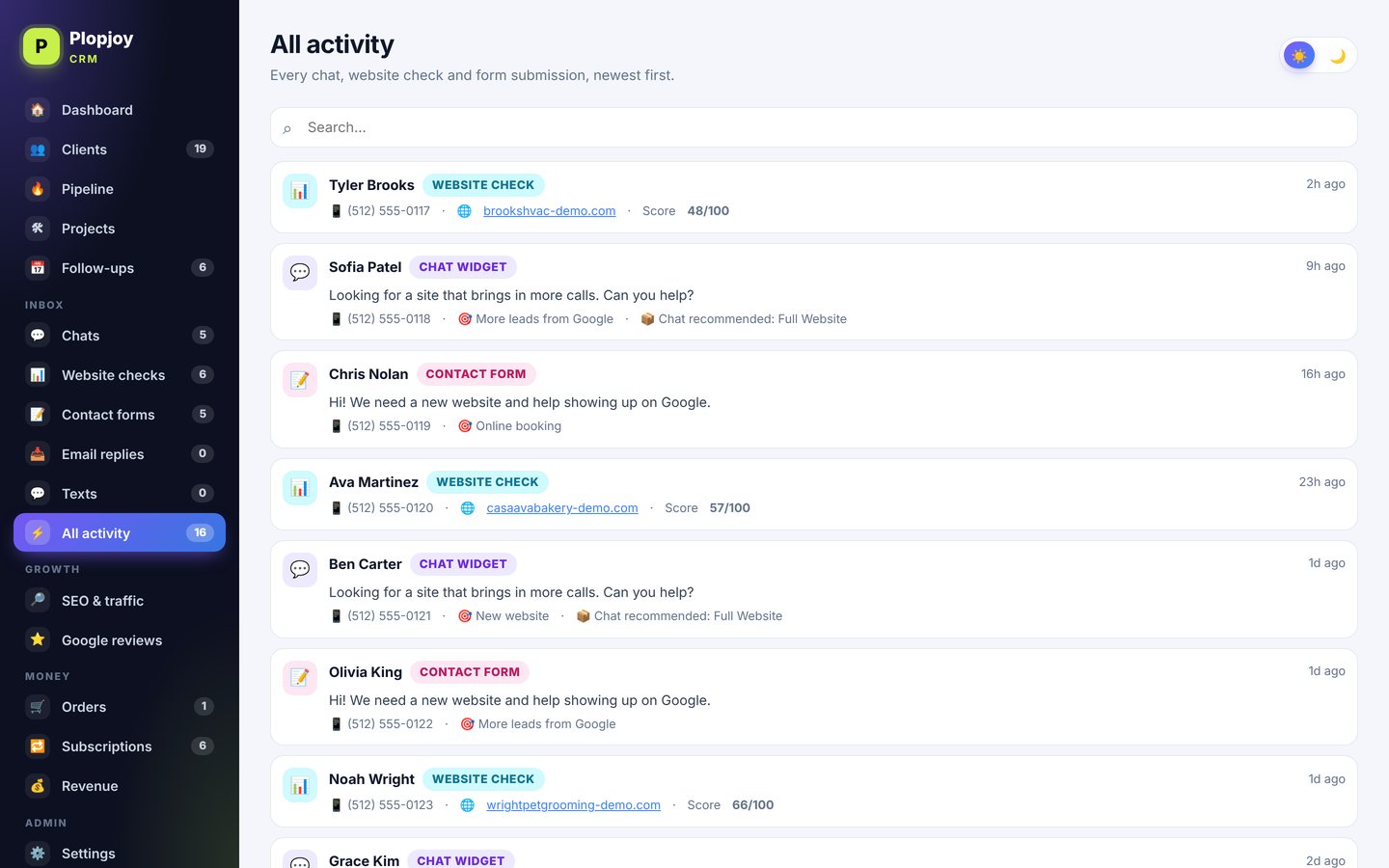
Custom CRM development — every lead in one inbox screen (demo data)
Every lead in one inbox — Chats, contact forms and website checks land here and link to the right client automatically.
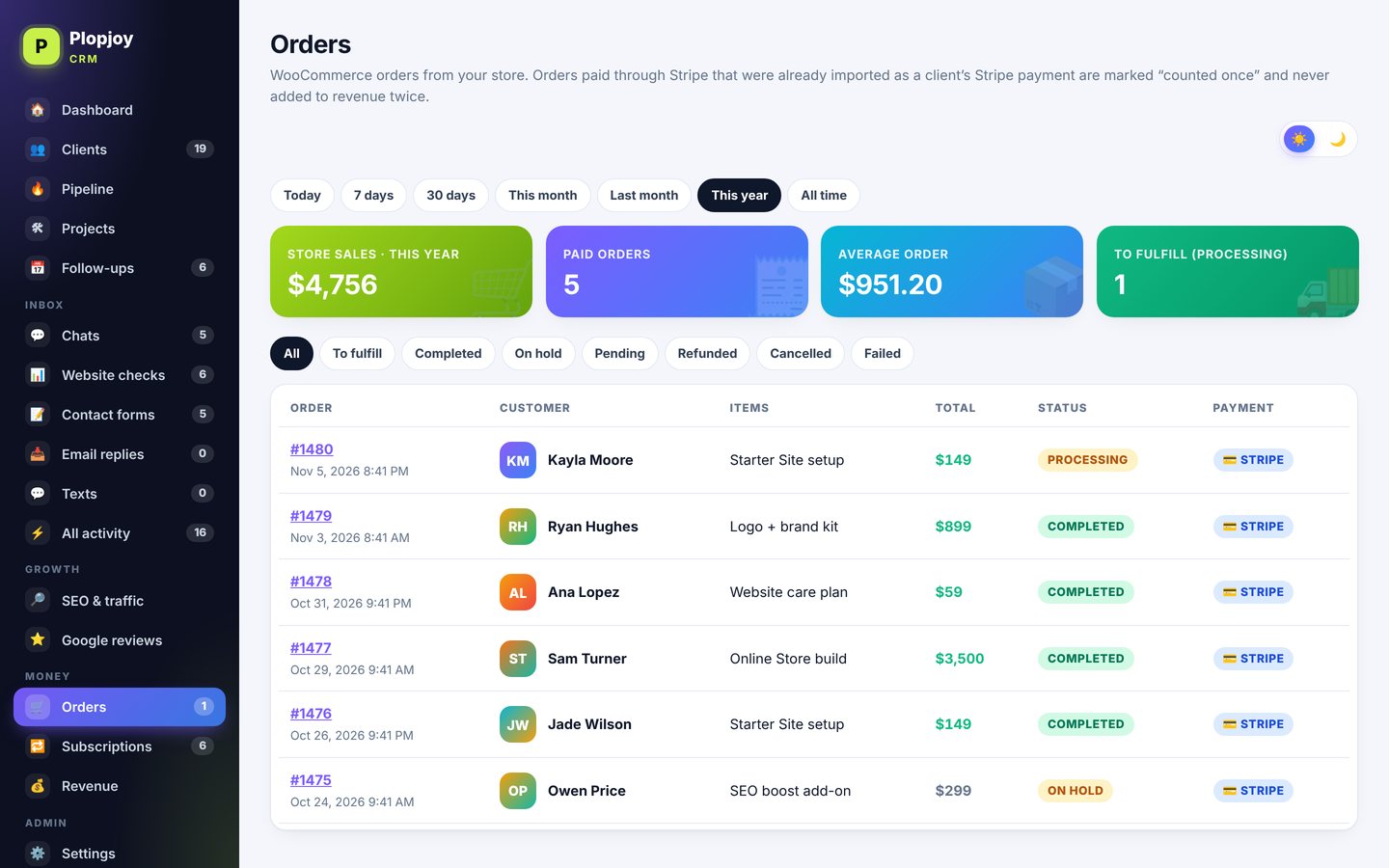
Custom CRM development — online orders screen (demo data)
Online orders — Store orders with status filters and totals, counted once alongside card payments.

Screens shown with demo data. Real client names, emails and amounts are never shown.

Want a CRM like this?

First, show us how you work today. Then we will map it, prototype it and build a CRM your team actually uses.